Find the lap time
you’re leaving on track.
Upload the moment a session ends. Trackside Command Center aligns telemetry, onboard video and lap comparisons, so drivers and engineers see where the time went in minutes, not days.

Drivers lose time when performance data is fragmented.
Telemetry, video and notes scatter across half a dozen tools, so the debrief stalls and the driver waits days for feedback that should arrive the same evening.
Trackside Command Center
The engineer uploads once, the moment the session ends. Every driver, engineer and coach opens the same session, the same data and the same insights, minutes later.
Everything you need to improve, lap after lap.
Telemetry, video and lap comparisons built to turn every session into a specific, actionable change for the next run.
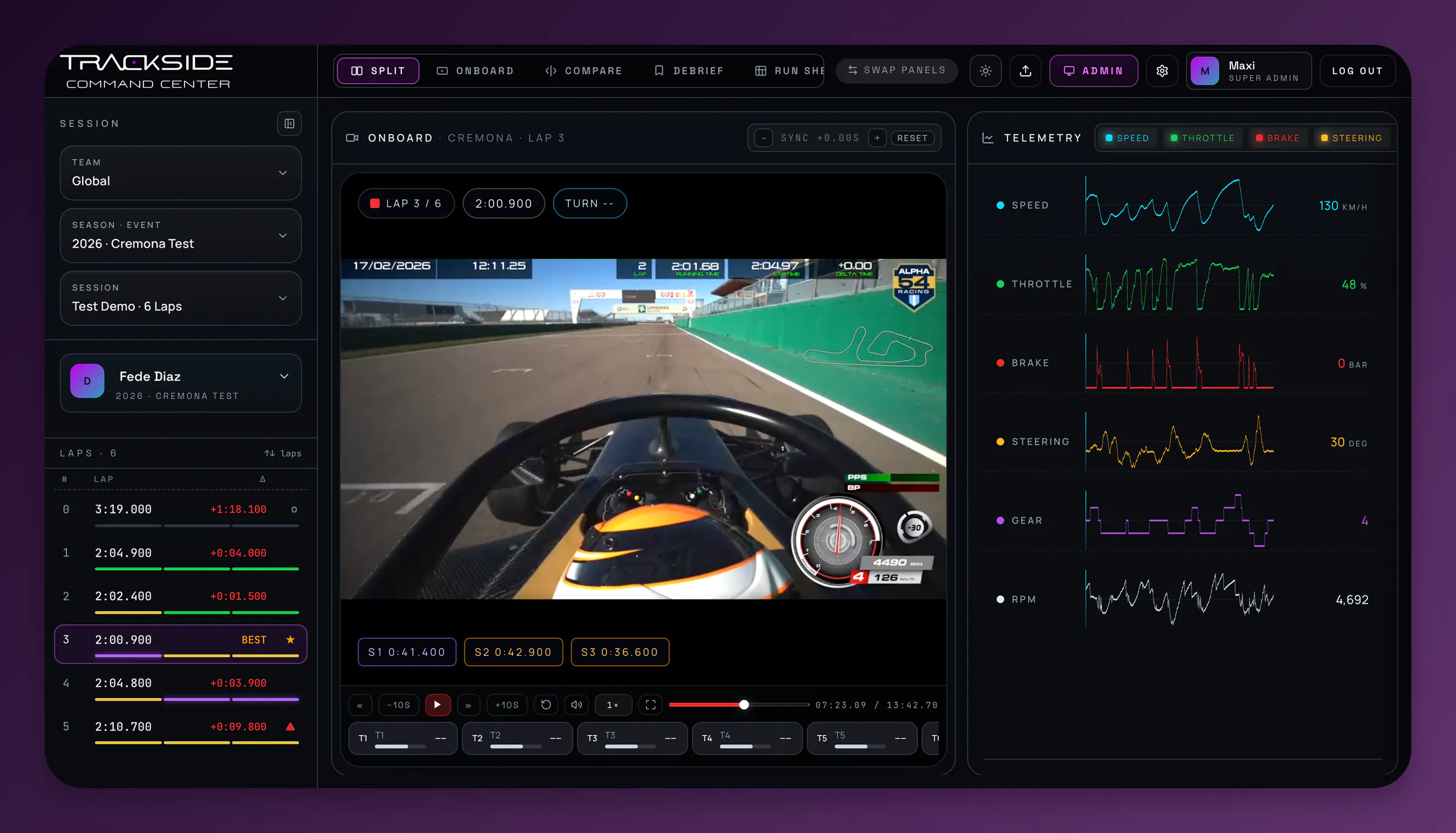
See exactly where time is lost.
Onboard video sits beside the telemetry trace, locked to the same instant, so drivers and engineers agree on what caused every gain or loss.
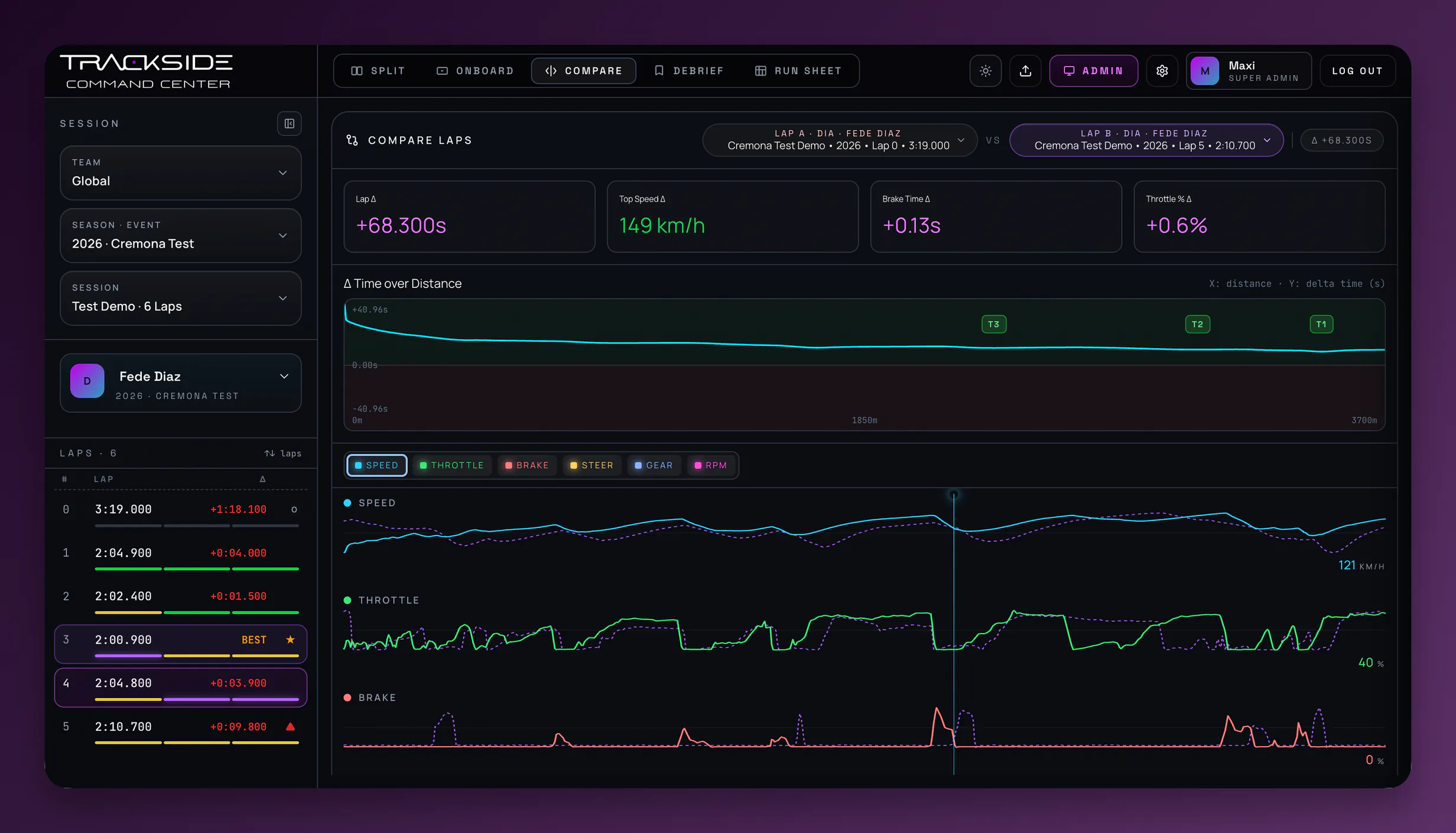
Find gains corner by corner.
Line up any lap against a teammate or a reference session and read exactly where the time is won or lost, turn-in to turn-in.
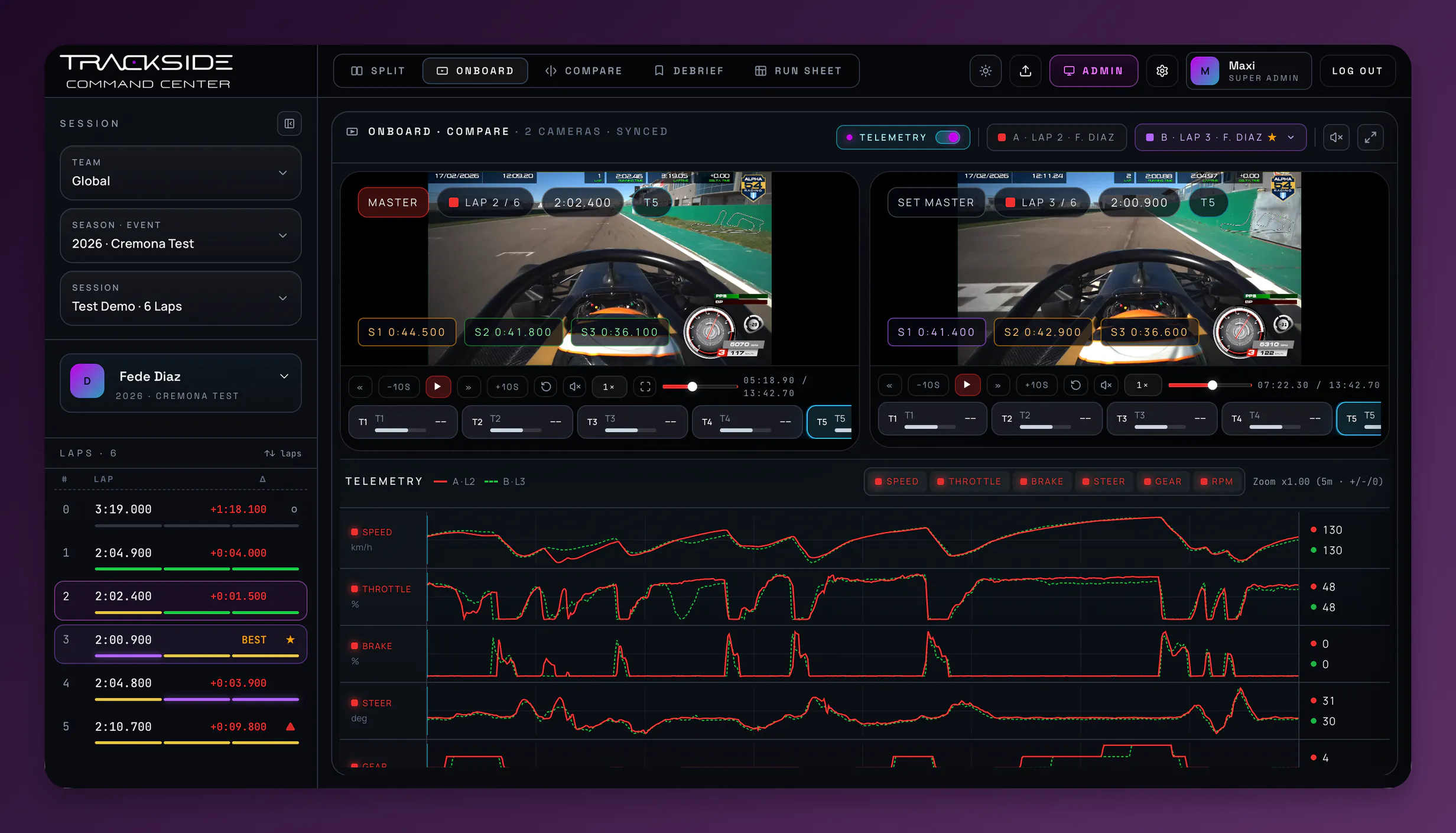
Two laps, two cameras, one playhead.
Play the lap that worked next to the one that did not. Both onboard feeds stay locked to the same point on track, with both telemetry traces overlaid underneath.
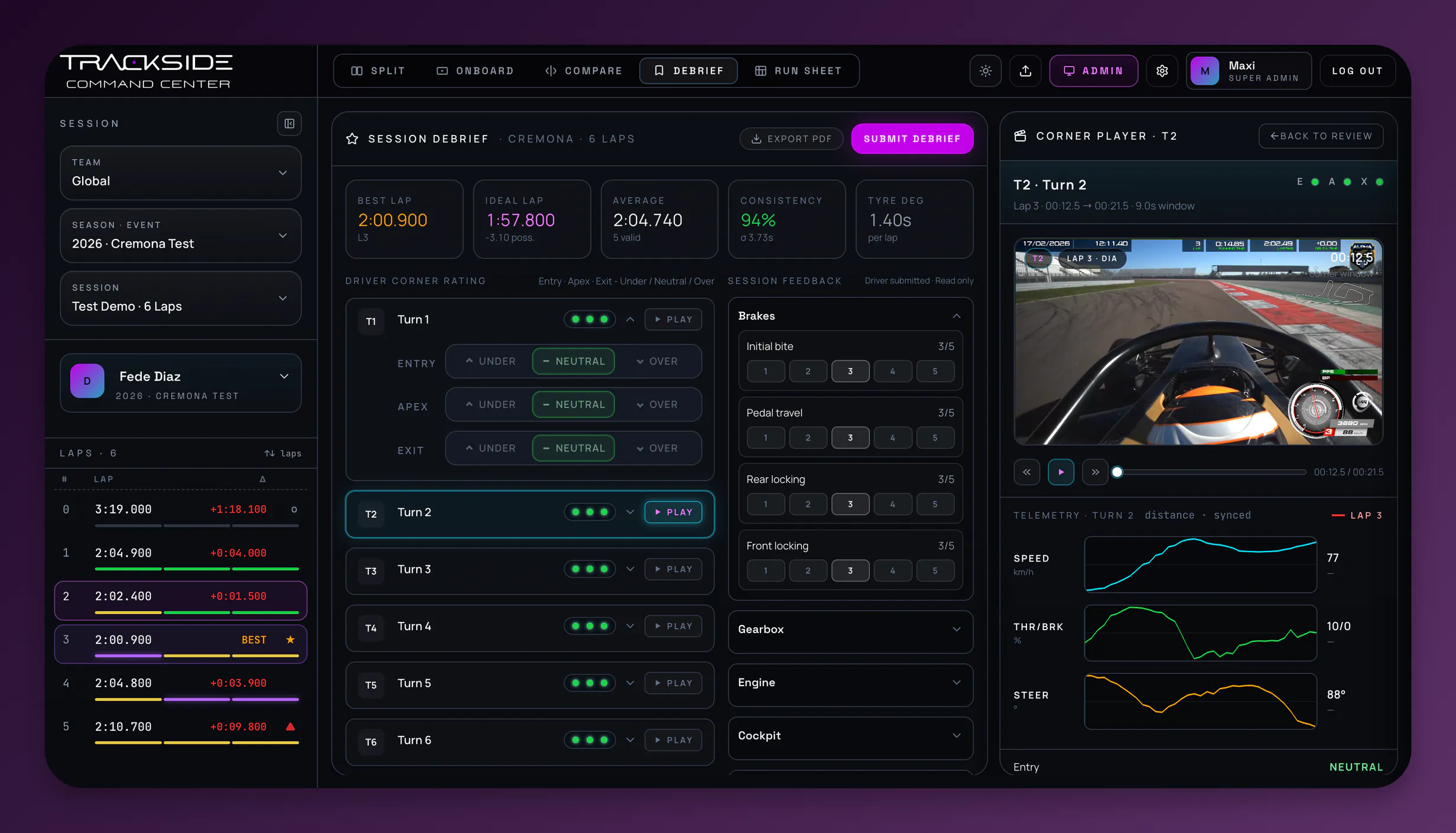
Leave the session with a record, not a memory.
Corner ratings from the driver, structured feedback on the car and a replay of the exact turn being discussed, on one page that exports to PDF.
Tell us what your team is missing.
We built Trackside Command Center for one job: turning a finished session into something the driver and engineer can act on. It starts when the car comes in, and what we add next comes from what teams keep asking us for.
Running a series, a logger or a data format we don’t support yet? Send us what you’re trying to do. It’s the fastest way to influence what we build.
Email us what you needChecking whether we read your logger or data format? The FAQs cover what we support today.
Built for every role in driver performance.
Drivers, engineers, coaches and managers each get exactly the tools their job needs, and only those.
Know what to improve next.
Ghost yourself against your best lap. Compare sector by sector. Works on tablet and phone, for a quick look between runs.
Less time preparing, more time optimising.
Full telemetry, unabridged. Ghost compare, distance-indexed deltas, sync-offset controls, and the raw CSV is still there when you need it.
Clearer feedback, faster.
Rate every corner phase with a 1 to 5 severity and a note attached. The driver reads your comments against the same lap, not in a separate chat.
Keep the whole team aligned.
Role-scoped access, session ingestion, team structure. An audit log of who changed what, when. Built for teams that have to show their working.
Upload the moment a session ends. Start improving in minutes.
As soon as the car is in, the engineer uploads the export and the onboard file. TCC handles syncing, analysis and sharing, so the driver is reviewing before the tyres are cold.
Upload the session.
Drag in the AiM export, per-lap PRN or CSV from Race Studio, plus the onboard file the moment the run ends. No trackside hardware, no wiring: the files you already have are enough.
Auto-align & enrich.
GPS timestamps lock video to telemetry within about one frame. Corners are detected from the trace. Sectors, phases and braking zones appear on their own.
Debrief from anywhere.
The session opens on any device. Driver in the motorhome, coach at home, manager on a plane, all on the same playhead, same lap, same apex.
Your performance data
stays protected.
Built for teams that treat competitive data seriously: encrypted storage, access controlled per seat, and a full trail of who saw what.
Role-scoped access
Driver, engineer, admin, super-admin. Permissions enforced at the API, not just the UI.
Audit log
Administrative actions are recorded: who did what, to which record, when. Filterable by actor and action.
Help your drivers
improve faster.
Book a demo and see how your next session becomes a competitive advantage.